✦
Search
Explore the global course catalogue in natural language. Moodle remains in control of access.
Explore →
One tool to create content.
Another to support learners.
A third to manage your site and courses.
Pimenko AI is one assistant, installed in your Moodle, that adapts to the person and context using it. One installation. One governance model. One bill.

The same widget behaves differently depending on the task. Try the different modes.
Pimenko AIinside your Moodle
Role, permissions, course, open page, consent and quotas all help define the context of each exchange.
Pimenko AI is an AI plugin built into Moodle and developed by Pimenko, a Certified Moodle Partner. Its Search, Creation, Tutor and Administration modes work within the roles, permissions and usage rules of your platform. Learn more about how your data is hosted in Europe.
Each user sees only the modes enabled for their role and context.
A tutoring exchange does not mix with a search or an activity being prepared.
Creations are prepared, reviewed and confirmed before they are added to Moodle.
Consent, quotas, pseudonymisation and Moodle privacy tools.
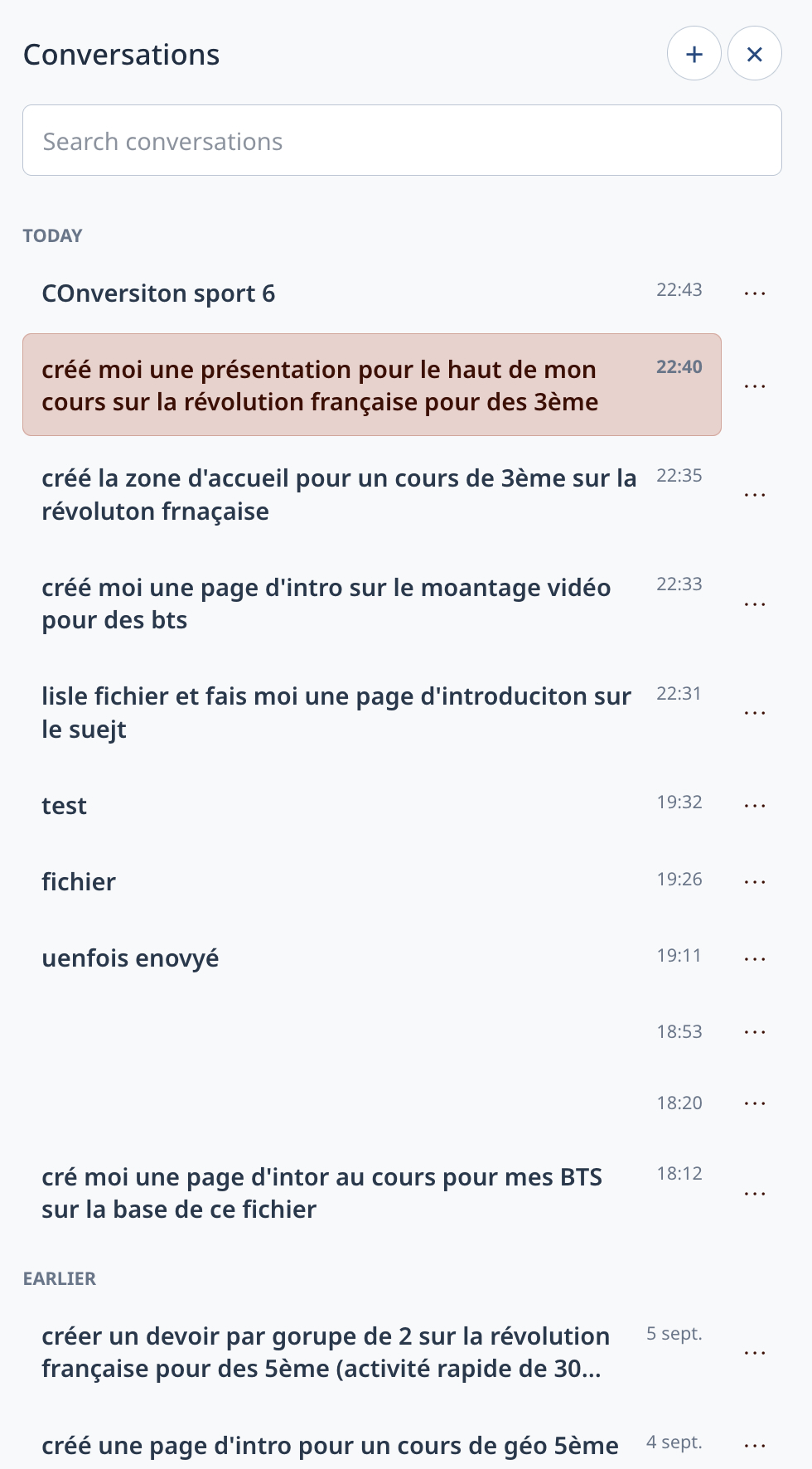
Most assistants forget everything between sessions. Pimenko AI keeps your conversations: pick up an activity, revisit a draft or find what you asked for last week.
Close Moodle, return tomorrow and continue the conversation.
Search, rename, delete and start new threads.
Conversations remain separate by mode, user and context.
Several independent modes, enabled according to the roles and needs of your platform.
Explore the global course catalogue in natural language. Moodle remains in control of access.
Explore →Write the intent. Pimenko AI prepares a first version. You review, adjust and add it to Moodle.
Explore →Support shaped by the open course and activity, without doing the work in the learner's place.
Explore →Targeted actions, with explicit confirmation before anything is created.
Explore →
Generating a whole course with AI produces content. Generating an activity frees up time to do the rest better.
An activity can be reviewed, adjusted and approved in minutes. A complete course generated in one go involves dozens of learning choices that an educator cannot assess without redoing them, cancelling out the time saved. Our pedagogical approach explains this choice.
You describe what you need, preview it and request adjustments. The activity joins your course when it suits you, not before.
Pimenko AI works on precise formats, one activity at a time, so that time savings remain real.
AI can give an immediate answer and make an exercise easier in the moment. But learning also means searching, trying, getting things wrong and putting ideas into your own words.
in unaided exam results with AI used without safeguards.
Bastani, H., et al. (2025). Generative AI without guardrails can harm learning: Evidence from high school mathematics. PNAS, 122(26), e2422633122.more progress when safeguards are in place.
Same experimental protocolprogressive levels of support in our design.
From a reminder to guided support
It does not seek to remove the effort that makes learning possible.
Since version 4.5, Moodle has included an AI subsystem in the platform core, which continues to develop in later versions. Pimenko AI builds on this architecture in the Moodle 5.3 context, while using a dedicated processing chain. It operates from within Moodle, using its rules, roles and permissions.
Start with an installation, explore the modes, then choose the credit level that suits your use.